


Karan
Writer
Updated On - Jun 04, 2026
8 min
Published On - Jan 15, 2026
How to do Kedarnath Yatra Registration 2026 - in 5 Simple Steps
So, is registration mandatory for Kedarnath darshan? Yes. To ensure a smooth and secure experience, the government requires all pilgrims to register.
FAQs: Kedarnath Registration 2026
1. When will Kedarnath registration for 2026 start?
2. Is offline registration enough for Kedarnath Yatra 2026?
3. Is there any fee for Kedarnath registration 2026?
4. Do I need a registration if I book a helicopter?
5. Can I change my Kedarnath travel date after registration?
6. How to Add Family Members and Plan Your Trip ?
Planning the sacred journey to the Kedarnath shrine is a dream for millions. But before you finalize plans around the 2026 opening dates, there's one crucial step many overlook: your official, mandatory registration. This free system is designed to make your pilgrimage safer by managing the immense flow of visitors.
So, is registration mandatory for Kedarnath darshan? Yes. To ensure a smooth and secure experience, the government requires all pilgrims to register. This process issues your Yatra Pass—a personal QR code that acts as your digital entry ticket. This guide will walk you through the simple steps for the Kedarnath registration 2026, ensuring you can secure your spot with confidence.
Is Kedarnath Registration Mandatory in 2026?
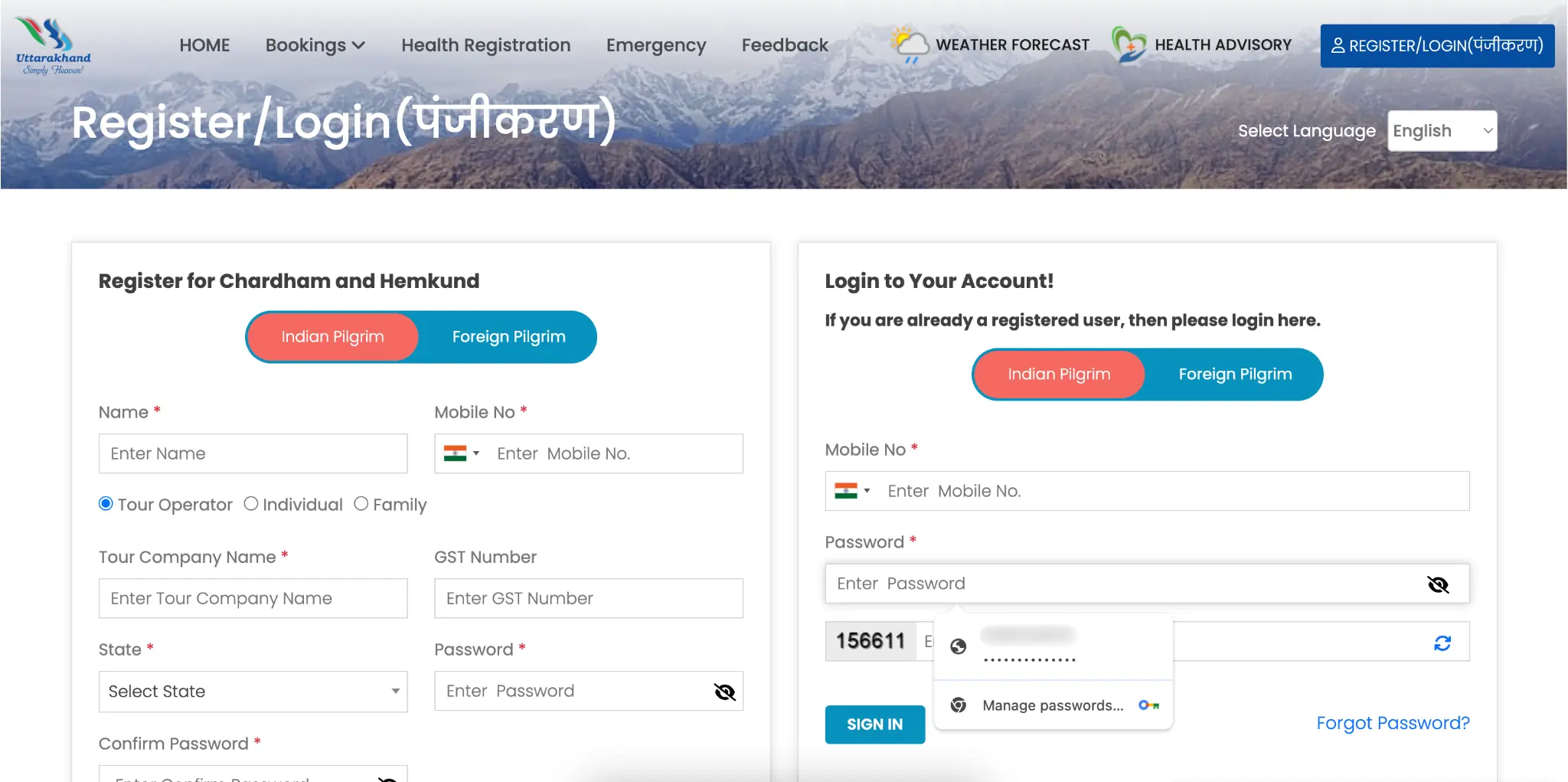
Yes, registration is compulsory for Kedarnath darshan in 2026—no drama, no fees, totally free of cost. This isn’t optional or “we’ll see later” type stuff. Every pilgrim has to do it. Every pilgrim must complete the free online Char Dham Yatra registration on the official Tourist Care Uttarakhand portal to get a QR-based Yatra Pass. You’ll need a valid photo ID (Aadhaar is best), mobile number, email ID, and basic details for each pilgrim. Once registered, you can download your QR e-pass, carry it in print and on your phone, and then use your Yatra Registration Number to book helicopter tickets on the official IRCTC HeliYatra portal if you plan to fly.
Your 3-Minute Checklist for a Smooth 2026 Registration
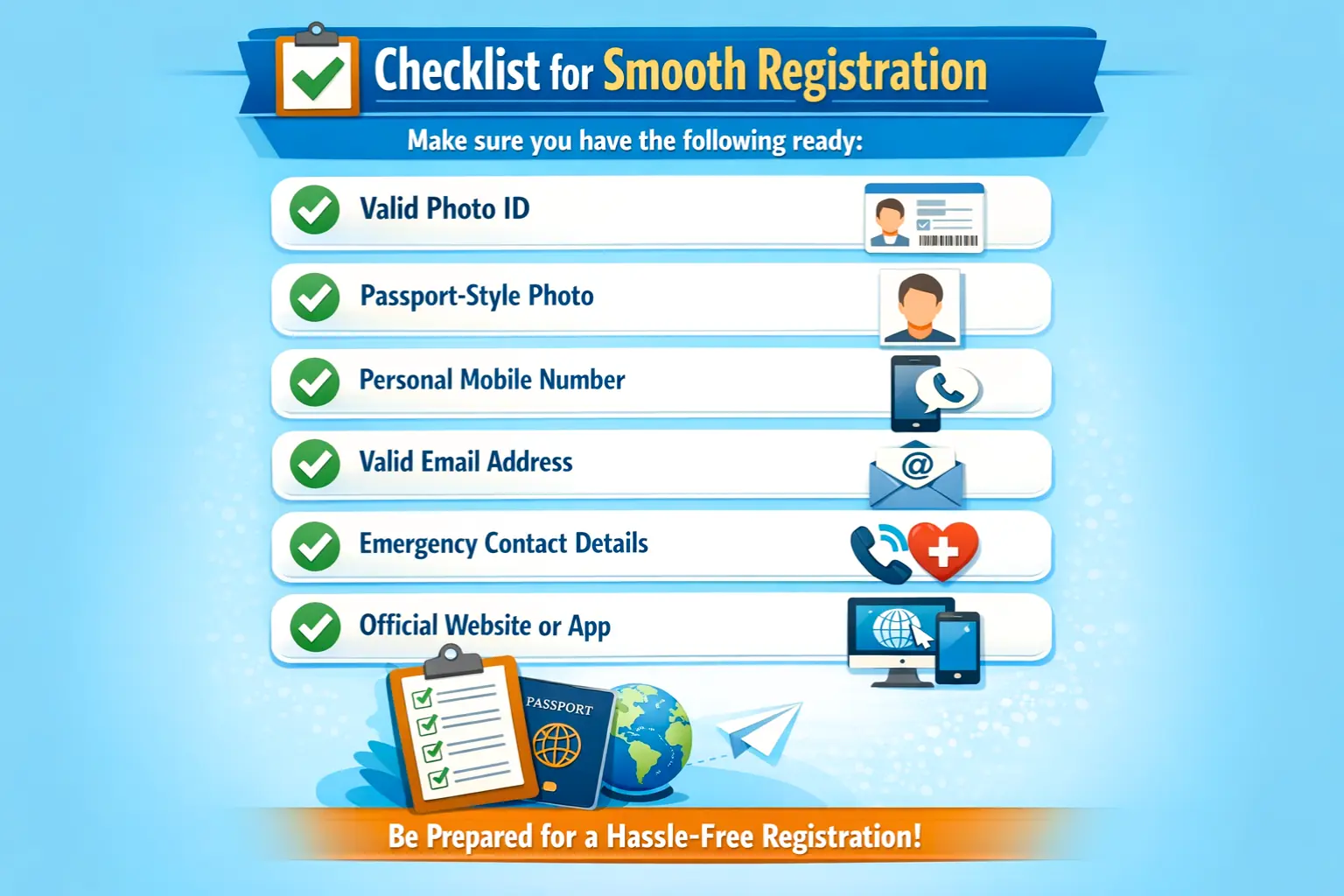
A little preparation makes the registration process effortless. Before the portal opens—typically around April—gather the details you’ll need to secure your spot quickly. With these details in hand, you're ready to navigate to the official government website and create your account. So keep these handy.
| Requirement | Details |
|---|---|
| Valid Photo ID | Aadhaar Card is the most preferred option |
| Passport-Style Photo | A clear digital photo from your phone against a plain background |
| Personal Mobile Number | Required to receive a One-Time Password (OTP) for identity verification |
| Valid Email Address | Used for receiving confirmations and updates |
| Emergency Contact Details | Emergency contact’s name and phone number |
| Official Website | https://registrationandtouristcare.uk.gov.in/signin.php |
| Official App | Uttarakhand Tourist Care – Official App |
Checklist for a Smooth 2026 Registration
Method 1 - How to do Online registration for Kedarnath Yatra (5 simple steps)
For online Kedarnath yatra registration - the very first step is creating an account on the official Tourist Care Uttarakhand portal. It’s crucial to use only the official portal, as other unofficial sites may charge for this free service. Here are the 5 simple -
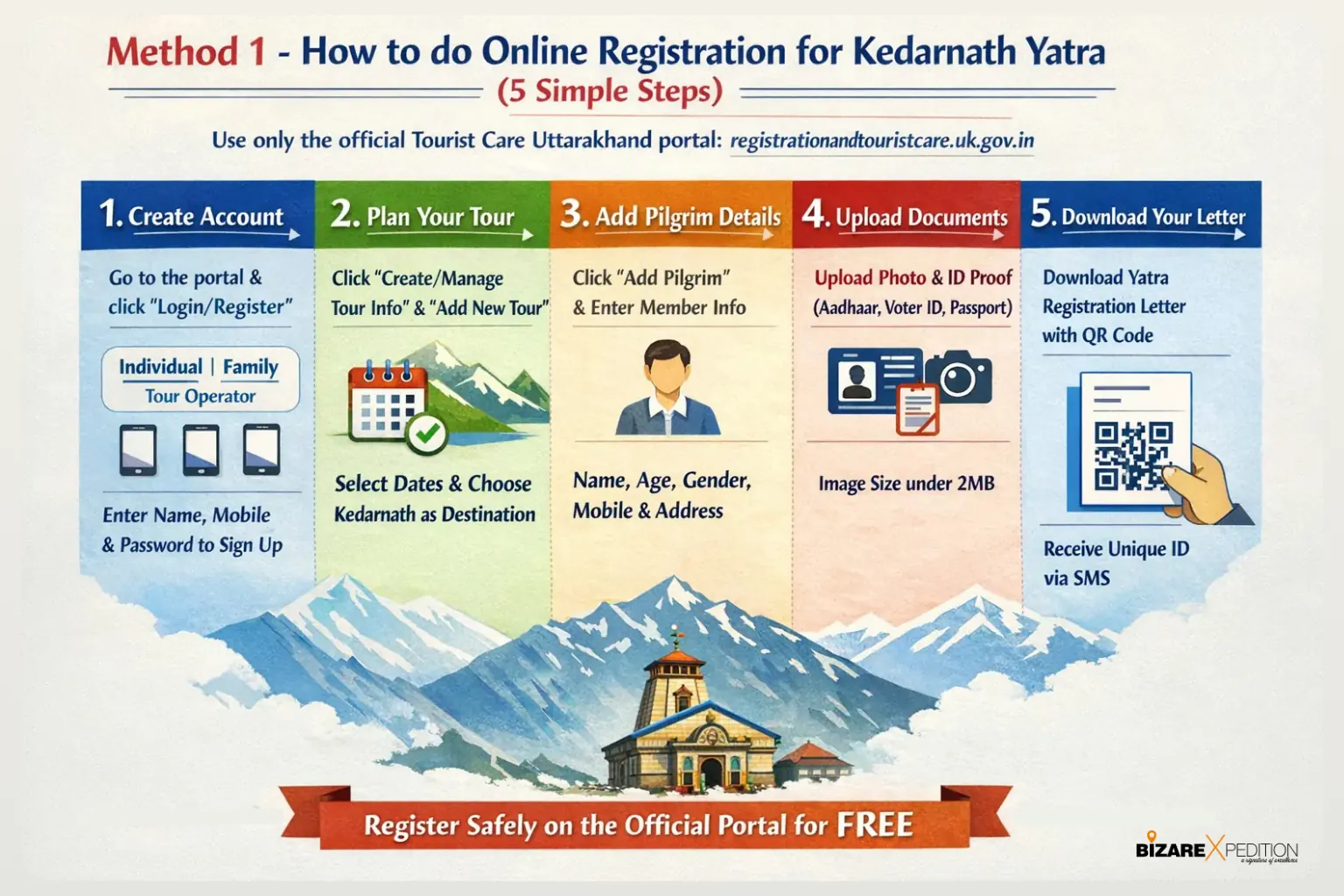
On the page - Registration and tourist care gov, click the Login/Register and select your category (Individual, Family, or Tour Operator). Enter your full name, mobile number, and create a password to sign up.
Plan Your Tour: After logging in, click "Create/Manage Tour Info" and then "Add New Tour". Select your tour type, enter your travel dates (entering and leaving Uttarakhand), and specify Kedarnath as your destination (when you’re in Kedarnath) with the specific date you plan to visit.
Add Pilgrim Details: Now add members detail one by one. Click "Add Pilgrim" and fill in the required fields for each traveller, including full name, age, gender, mobile number, and residential address.
Upload Documents: You must upload a passport-sized photograph and select an identity proof (such as an Aadhaar card, Voter ID, or Passport) to upload. Make sure the image size is under 2Mb.
Download Your Letter: Once finished, download the Yatra Registration Letter, which contains a unique QR code. You will also receive a unique ID via SMS.
Method 2: Registration via WhatsApp
This is a very simple option for those who prefer using mobile messaging.
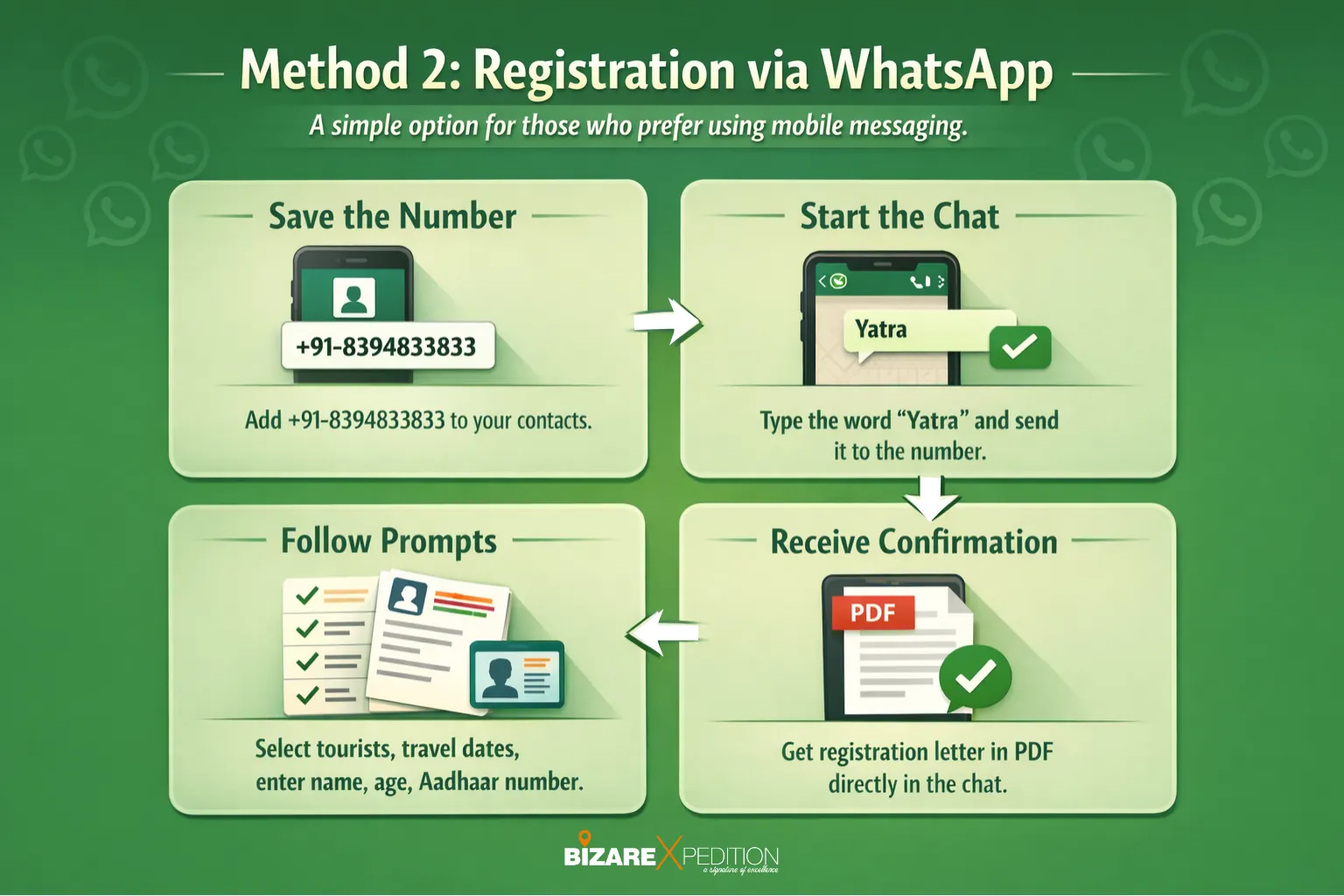
Save the Number: Add +91-8394833833 to your contacts.
Start the Chat: Type the word Yatra and send it to the number.
Follow Prompts: The system will guide you through selecting the number of tourists, travel dates, and entering pilgrim details like name, age, and Aadhaar number.
Receive Confirmation: Once completed, a registration letter in PDF format will be generated directly in the chat.
Method 3: Mobile App and Other Options
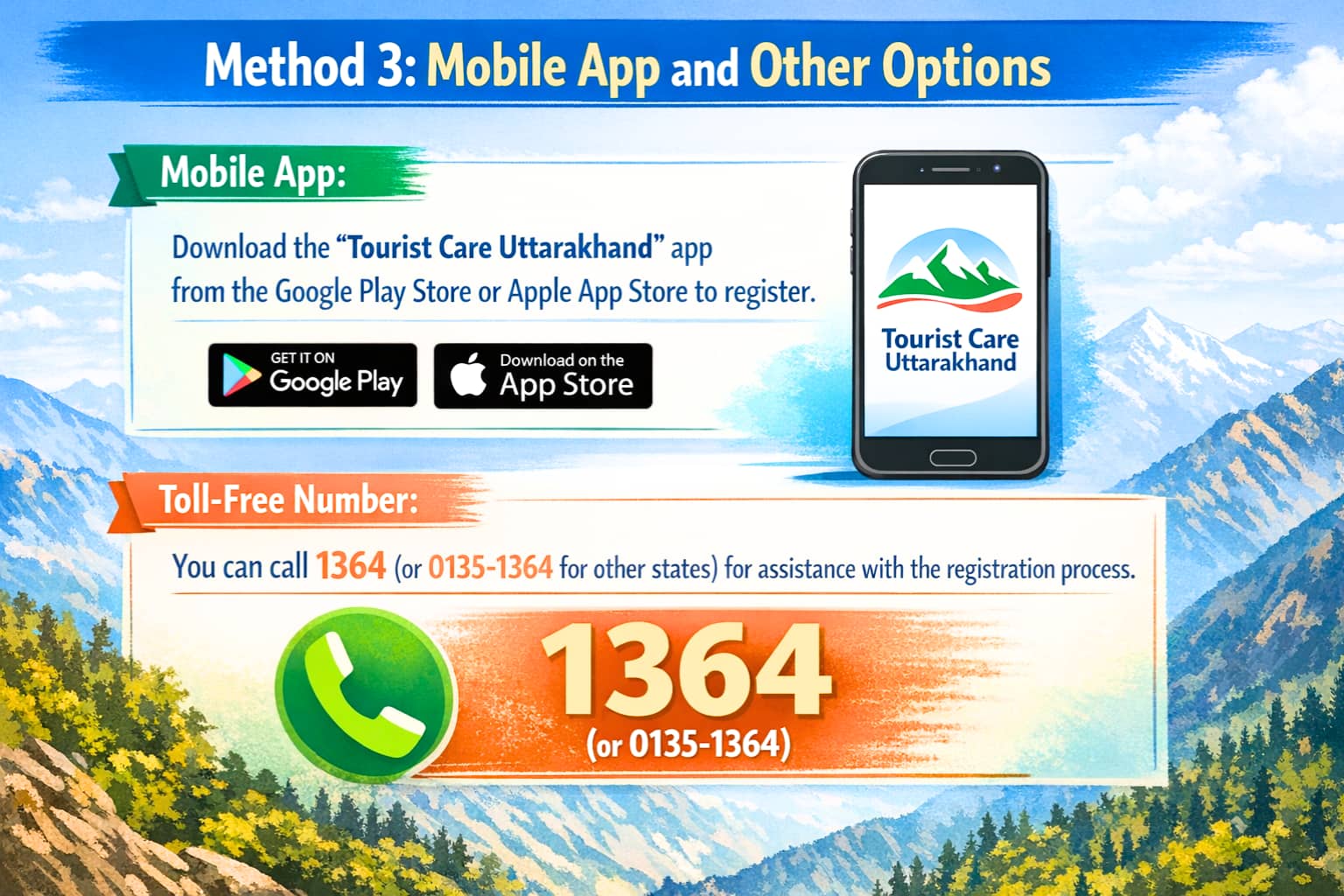
Mobile App: Download the "Tourist Care Uttarakhand" app from the Google Play Store or Apple App Store to register.
Toll-Free Number: You can call 1364 (or 0135-1364 for other states) for assistance with the registration process.
Method 4: Offline Registration
If you are unable to register online, physical registration points are available in Uttarakhand. These include locations such as:
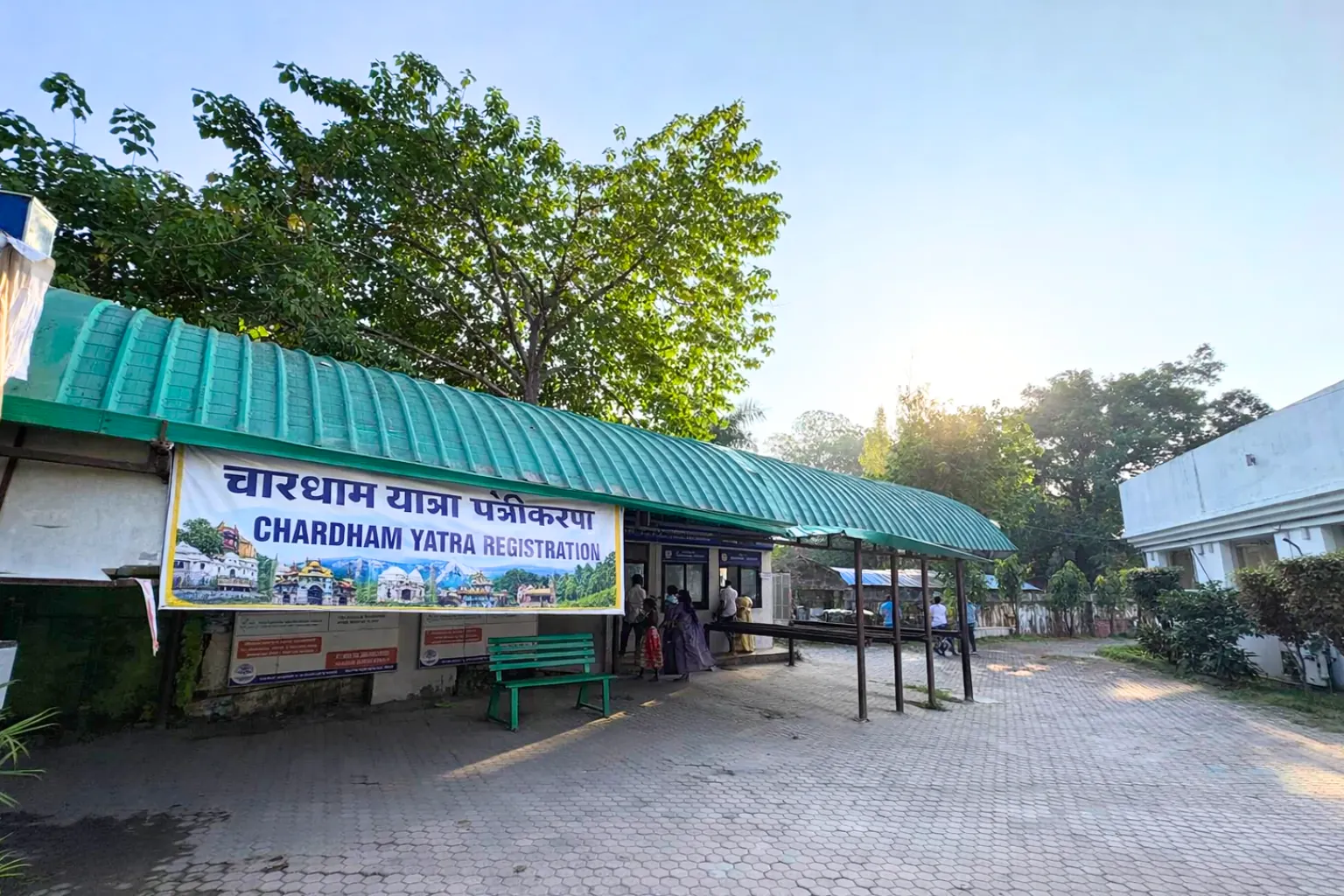
Haridwar: Rahi Hotel or the Railway Station.
Rishikesh: ISBT or Gurudwara.
Near Kedarnath: Sonprayag, Gaurikund, and Kedarnath itself.
Online vs. Offline Registration: Which Method Is Better for You?
While online registration is strongly recommended, physical offline registration counters for Kedarnath Yatra are available at key transit hubs like Haridwar and Rishikesh for those who arrive without pre-registering. However, this offline option comes with serious drawbacks. Here’s a quick comparison:
Online Registration: Secure your spot from home weeks in advance. It’s free, guaranteed, and gives you peace of mind with just a brief internet connection.
Offline Registration: This option doesn't require the internet, but you risk wasting hours of your trip in long queues. During peak season, there's a real possibility that daily slots will be full by the time you reach the counter.
The online Uttarakhand Char Dham Yatra registration process is the clear winner for a smooth and predictable pilgrimage. In case slots are booked then offline registration will help you get a darshan pass.
Website Slow? Made a Mistake? A Quick Troubleshooting Guide
A common issue is the portal slowing down due to high traffic, especially when registration first opens. The simplest solution is to try again during off-peak hours, like late at night (after 10 PM) or very early in the morning (before 7 AM).
If you enter a name or age incorrectly, don't panic. The portal allows you to review and edit pilgrim details before you click the final “submit” button to generate your pass.
Finally, remember that the official government registration is 100% free. If a website asks for money to register, you are on the wrong site.
1. How to change the yatra travel dates in registration?
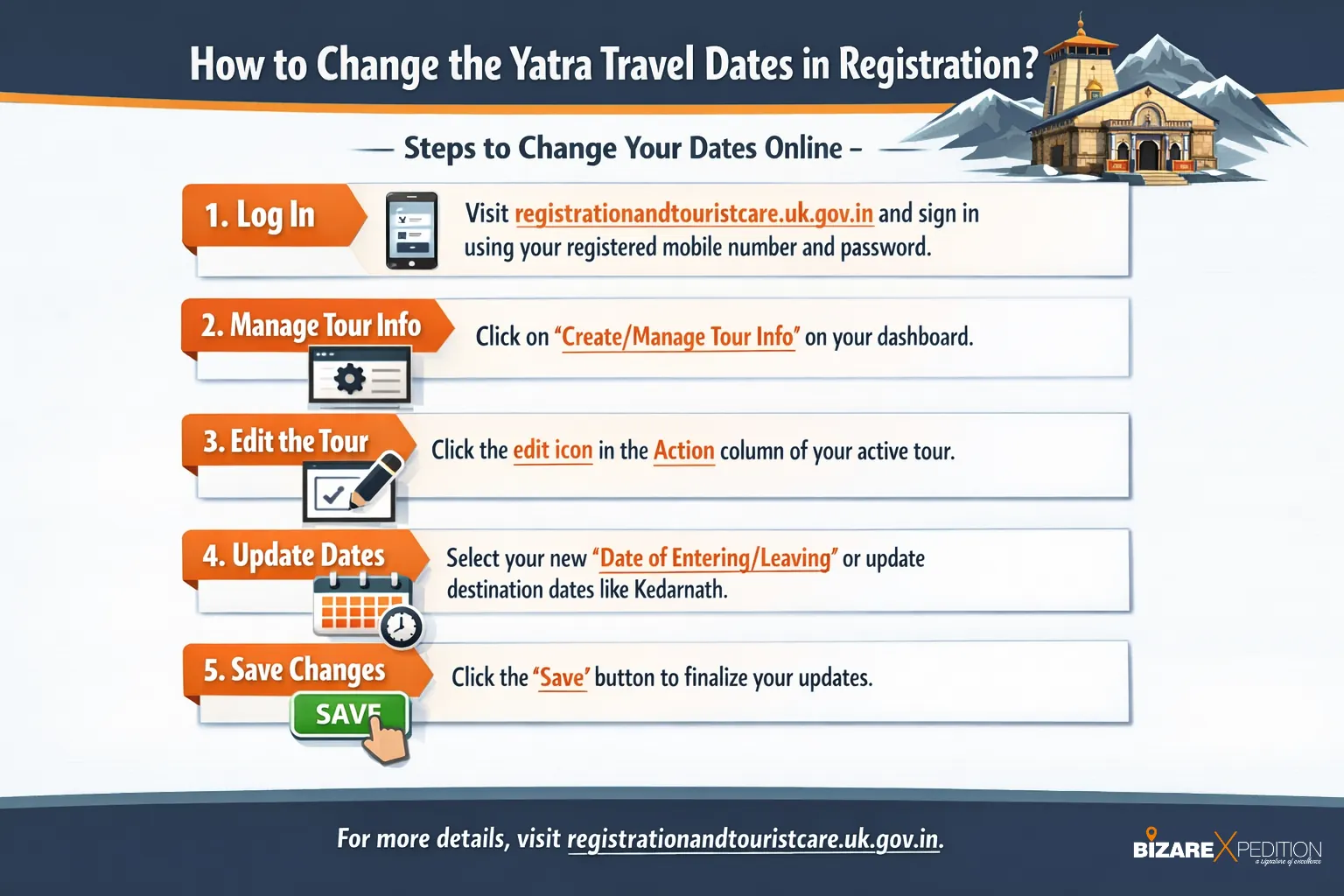
Steps to Change Your Dates Online -
Log In: Visit the official website (registrationandtouristcare.uk.gov.in) and sign in using your registered mobile number and password.
Manage Tour Info: Once on your dashboard, click the option for "Create/Manage Tour Info".
Edit the Tour: Locate your active tour in the list. You should see an "Action" column with an edit icon (typically a pencil symbol) that allows you to modify the details.
Update Dates: Use the date picker to select your new "Date of Entering/Leaving" Uttarakhand or update the specific dates for destinations like Kedarnath.
Save Changes: Ensure you click the "Save" button to finalise the updates
How to Download and Use Your Kedarnath Yatra E-Pass?
After submitting the form, the system generates your official Kedarnath Yatra E-Pass. Look for a "Download Pass" or "View Registration Card" button on your dashboard. If you registered a group, remember to download the individual pass for every member.
When you open the pass, you'll see a large QR code. This is your digital boarding pass for the pilgrimage. At checkpoints along the route, officials will scan this code to verify your registration and manage pilgrim flow.
A crucial tip: don’t rely on just one copy. Save the E-Pass PDF to your phone, but also print at least two physical copies. Mobile networks can be unreliable in the mountains, and a paper backup ensures you'll have no issues at the checkpoints.
Where is the Yatra Registration required?
Yatra registration is required if you’re visiting any of the shrines - Kedarnath, Badrinath, Gangotri, Yamunotri & Hemkund Sahib. Also, online registration is also required if you wish to book helicopter tickets for Kedarnath or doing Yatra by Helicopter, for making a Trip Card, special prayers like Rudrabhishek etc.
1. Where Registration is Verified
You will be required to present your registration (either a downloaded QR-coded Yatra Registration Letter or a unique ID sent via SMS) at several critical checkpoints:
Initial Checkpoints: Verification points are located in Rishikesh and Dehradun to check pilgrims before they proceed further into the mountains.
Specific Site Checkpoints: This is the primary verification point for those trekking toward Kedarnath from Gaurikund.
Helipads: Verification is required at the Phata, Guptkashi, Sersi, and Sitapur helipads for all helicopter passengers.
At the Shrines: Physical verification by a "Yatrimitra" occurs at the entrance of the Dhams before check-in.
2. What Is the Trip Card?
The Trip Card is a mandatory digital document required for any commercial vehicle, such as a tour cab or rented vehicle, travelling to Kedarnath and the Char Dham circuit. Mandated by the Uttarakhand Transport Department, it serves as an extra layer of verification to link your vehicle's details with your official Yatra registration.
To make a trip card you need - Passengers yatra registration, Passenger Information, Driver Details and Vehicle Specifics. Commercial vehicles are not permitted to cross key check posts without a valid Trip Card. BizareXpedition also provides Chardham taxi service at an affordable price, and we prepare a trip card so you don't have to worry about.
Pro Tip: If you are booking a tour package or renting a taxi, you should confirm with your operator that the vehicle is properly registered and that the Trip Card is attached to your registration. We (BizareXpedition) handle this step entirely for their guests to ensure the QR pass and trip card are pre-verified before departure.
Helicopter Booking: The Second Crucial Step
Reaching Kedarnath by helicopter is a popular option, but booking a ticket is a completely separate process from your Yatra registration. Both are required if you plan to fly. Your Yatra Registration Number is the key that unlocks the helicopter booking system.
The first thing the official booking website will ask for is this unique number for each passenger. Without it, you cannot book helicopter tickets. This rule fulfills the mandatory Char Dham yatra permit requirements and ensures every traveler is accounted for.
While the Uttarakhand Tourism Department manages Yatra registration, the government has authorized IRCTC to run the official helicopter portal, HeliYatra. Always use this official site to avoid fraudulent third-party agents. The correct flow is simple: first, complete your free Yatra registration to get your pass number. Only then should you visit the IRCTC HeliYatra website to book your flight.
Your Registration is Done: What to Focus on Next
You've navigated the official process and secured your Yatra Pass. With this significant administrative step behind you, you can now turn your full attention to the pilgrimage itself.
Focus on booking accommodations in places like Guptkashi or Phata, arranging your travel, and starting daily walks to build stamina for the high-altitude trek. The paperwork is done. Your Kedarnath registration 2026 is a milestone you have already passed, allowing you to focus purely on the profound spiritual experience that awaits on your Char Dham Yatra.
Key facts for Kedarnath registration 2026
Is registration mandatory? Yes, for all pilgrims.
Registration type: Free online Yatra registration with QR e-pass.
Official portal: Tourist Care Uttarakhand (state government site).
When it usually opens: Around April, before the temple opening.
Needed details: Aadhaar or other ID, photo, mobile number, email, emergency contact.
Offline option? Yes (Haridwar, Rishikesh counters), but online is strongly recommended.
Helicopter tickets: Only after you get your Yatra Registration Number, via IRCTC HeliYatra.
FAQs: Kedarnath Registration 2026
1. When will Kedarnath registration for 2026 start?
Exact dates are announced by the Uttarakhand government each year, but online registration for Kedarnath and Char Dham Yatra usually starts a few weeks before the temple opens, often around April. Pilgrims should check the official Tourist Care Uttarakhand portal and state tourism updates.
2. Is offline registration enough for Kedarnath Yatra 2026?
Offline registration counters at places like Haridwar and Rishikesh can issue a Yatra Pass, but availability depends on the daily quota. For 2026, you should treat online registration as the primary method and use offline counters only as a backup if you couldn’t register in advance.
3. Is there any fee for Kedarnath registration 2026?
No, the official Kedarnath / Char Dham Yatra registration is completely free on the government portal. If a website or agent asks for a registration fee, you are likely on an unofficial or fraudulent site.
4. Do I need a registration if I book a helicopter?
Yes. Your Yatra registration and QR pass are mandatory even if you travel by helicopter. The official IRCTC HeliYatra portal will ask for your Yatra Registration Number before it lets you complete any helicopter booking.
5. Can I change my Kedarnath travel date after registration?
The portal generally allows you to edit pilgrim details before final submission. After your pass is generated, changes may be limited and depend on official rules for that year, so it’s best to enter accurate dates and details the first time.
6. How to Add Family Members and Plan Your Trip ?
Go to the login page - registrationandtouristcare.uk.gov.in/signin.php enter your mobile number and password.
Once logged in, you’ll access the main Pilgrim Form. Here, you’ll enter details such as your name, age, and address, ensuring the information matches your photo ID, like your Aadhaar card.
Traveling with family or friends? The portal makes group registration for Char Dham Yatra simple. Click the “Add/Manage Pilgrims” button to add each member of your group one by one, similar to adding passengers to a single flight booking.
After entering everyone’s information, you’ll reach the Tour Plan section. This is where you specify your travel dates. You will need to select the date you plan to visit Kedarnath and your mode of travel (e.g., by trek or helicopter). This is a key part of the Char Dham Yatra permit requirements, ensuring your pass is valid for the specific days of your pilgrimage.
Once you have double-checked all the names and dates, submit the form to generate your official travel document.
Best Selling Tour Packages
Explore other exciting options for your next adventure!